
Frequently Asked Question
Why does Qfile Pro stop uploading photos when my phone locks or the app is in the background?
QUICK ANSWER
Mobile operating systems can pause background transfers even when the NAS is available. Qfile Pro’s Sleep & Transfer mode keeps a supported transfer in the foreground with a dimmed display; it does not remove the phone’s background limits.
Applies to: Qfile Pro on Android and iOS; available controls depend on app and operating-system version.
Work through these checks
- Open the transfer list and note whether the item is waiting, paused or failed. Check the destination folder by opening one already uploaded file, rather than assuming a remaining-item count means the original was lost.
- Review photo access, Wi-Fi-only rules, battery restrictions and background permissions. Grant only the access required by your intended backup workflow, and check whether the phone can currently reach the NAS.
- For a large supported transfer, use Sleep & Transfer where available. Keep Qfile Pro in the foreground, connect reliable Wi-Fi and power, then let its dimmed transfer screen remain active.
- After completion, compare several original photos or videos with their NAS copies. Resume or retry failed items from the transfer list instead of recreating the whole upload task and producing duplicates.
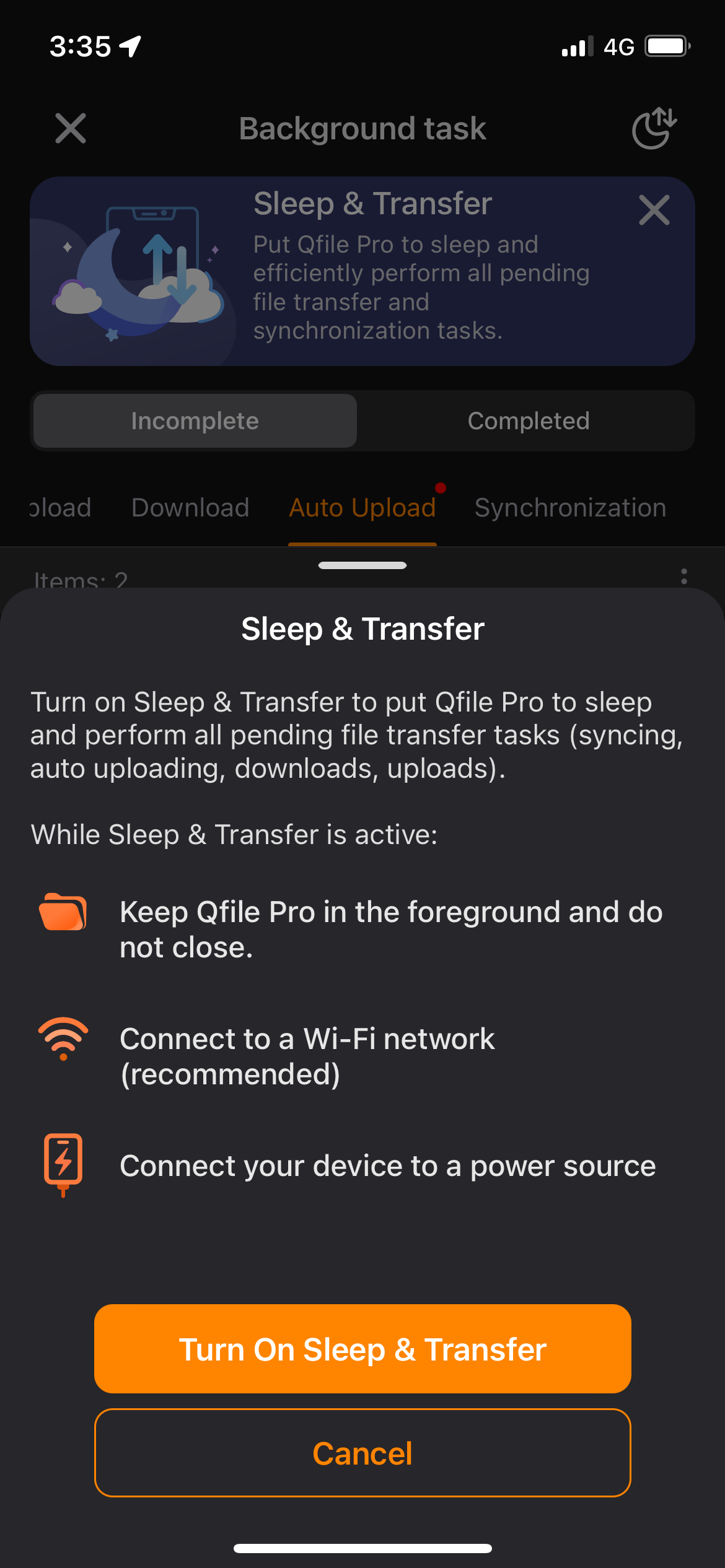
Genuine Qfile Pro example: Sleep & Transfer keeps the supported upload workflow in the foreground. It does not override mobile operating-system background restrictions. Tap the image to enlarge. Interface details may differ by software version.
Confirm the result
The outstanding count falls, the queue completes and sample originals on the NAS open at the expected size and quality.
Before going further: Keep phone originals until the NAS copies and a separate backup are verified. Background completion cannot be guaranteed when the operating system suspends an app.
If you need help
Include these details in your ticket: Phone/OS and Qfile versions, transfer status, destination connection method and relevant permission or battery settings.
Updated 261107