
Frequently Asked Question
Why does Dropbox authorisation fail in HBS 3 even after trying another browser?
HBS 3 Dropbox authorisation can fail even when the account works in a browser. QNAP identifies a blocked connection from the NAS to Dropbox’s API as one possible cause. Repeating the browser login alone will not clear a firewall or proxy restriction affecting the NAS.
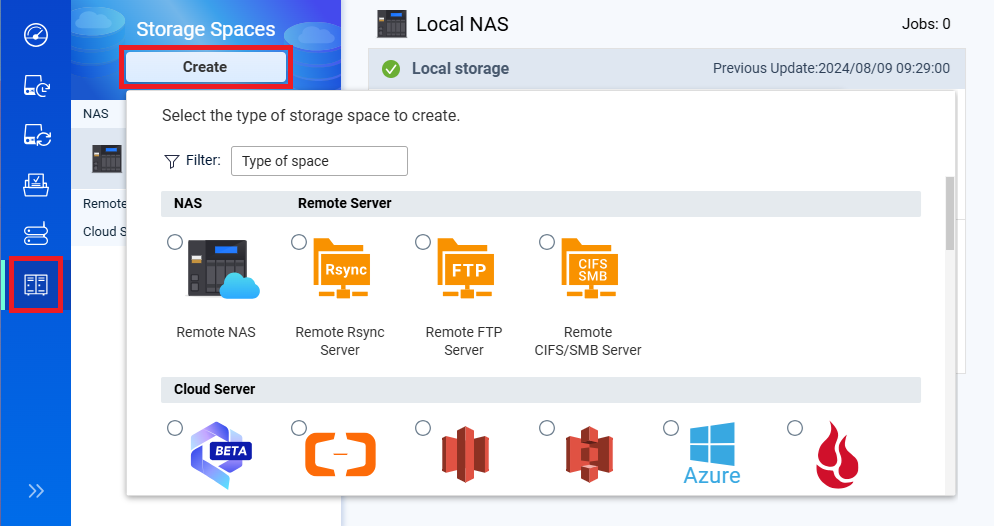
- Record the failure. Note the HBS version, storage-space name, error wording and exact attempt time. Check whether an existing job also reports a connection error. Keep the backup destination and existing jobs intact.
- Check the account separately. Sign in through Dropbox’s normal interface using the authorised account owner. Confirm that the account is usable and that any organisational approval has been completed. A successful browser login verifies that account path, rather than the NAS network path.
- Have the network administrator inspect the NAS connection. Review DNS, proxy and firewall/security logs at the recorded time. QNAP lists
api.dropboxapi.com,content.dropboxapi.com,notify.dropboxapi.comand Dropbox web domains as relevant destinations. Permit only the required provider traffic under your organisation’s policy. - Retry authorisation in HBS. Open the affected storage-space setup and complete the normal sign-in/consent process. Keep certificate verification enabled. Certificate or inspection errors need their trust or proxy cause corrected.
- Verify the backup path. After the storage space connects, run a small approved backup and restore a test file to a separate folder. A connected account alone does not prove that a backup is recoverable.
Do not disable the firewall or TLS verification as a blanket fix. Do not delete backup data, rebuild all jobs or expose NAS administration ports to the Internet to solve a cloud sign-in error.
If it still fails, submit an ACE Support ticket with redacted HBS logs, the attempt time and the administrator’s network findings. Do not include passwords, OAuth tokens, cookies or private cloud content.
Need help? Submit an ACE Support ticket.
Updated 250704