
Frequently Asked Question
How do I regain local NAS access when QuFirewall blocks my computer?
If one computer cannot open the NAS while another still can, its address may be blocked by QuFirewall or the system’s access list. Use an authorised, unblocked device on the local network to investigate. Repeatedly trying from the blocked address will not let you change the rule.
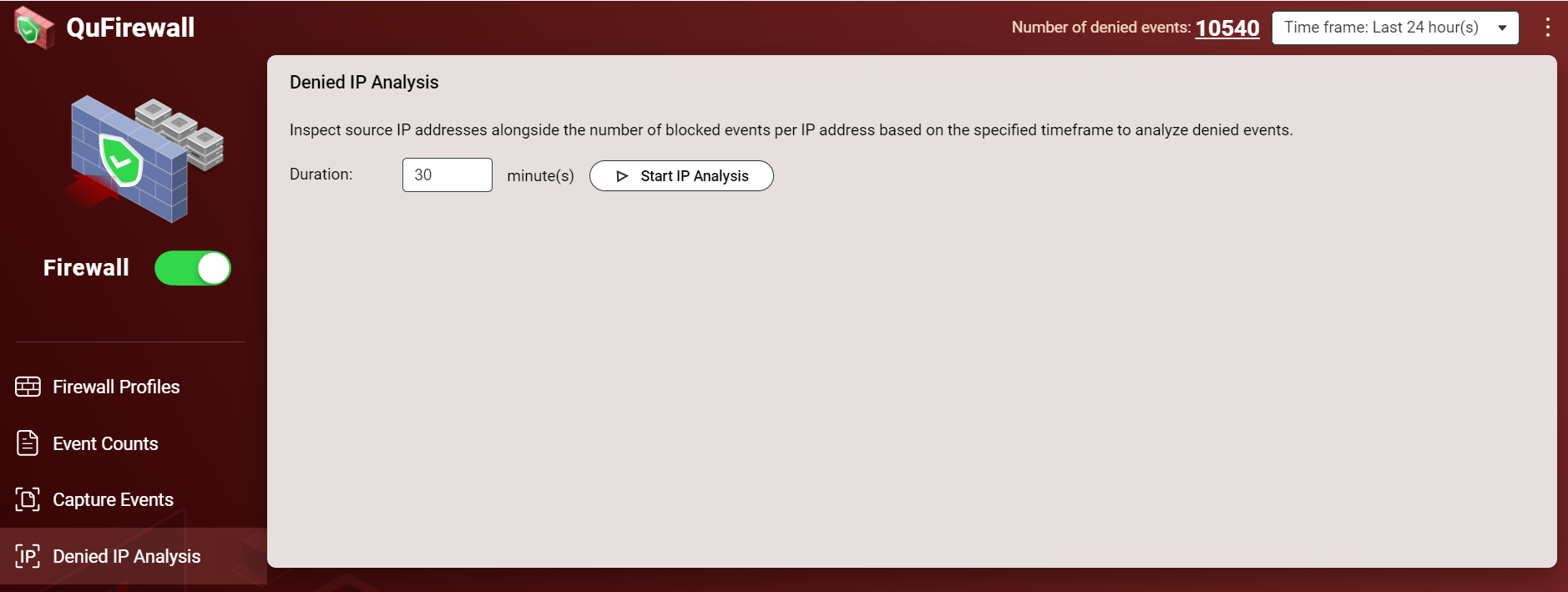
- Confirm the address and access path. Record the affected computer’s current IP address and the NAS address. Use the unblocked device to sign in through the NAS’s known local address, or locate it with Qfinder Pro. Keep this working session available while checking the rule.
- Identify the denied traffic. In QuFirewall > Denied IP Analysis, choose Start IP Analysis. While it runs, try the NAS’s local IP from the blocked computer. Wait for the results and check whether that computer’s address appears.
- Correct only the confirmed restriction. Have the administrator add the required allow rule for the trusted address and intended access. Also inspect the active profile’s Denied IP Addresses list. Remove an entry only after confirming that it is the legitimate device involved, rather than a suspicious source.
- Check the system list if needed. Under Control Panel > System > Security > Allow/Deny List, review whether a separate rule denies the device or omits it from an allow list. Preserve the intended restriction for other networks.
- Verify and retain protection. Test the intended service from the original computer, then check QuLog Center’s access records and confirm that the intended firewall profile remains active. Record the change for the administrator.
Avoid a blanket Allow all or firewall-off workaround. Do not expose the NAS to the Internet to regain local access. If no authorised device can reach it, submit an ACE Support ticket before attempting a reset; a reset changes settings and may have wider effects.
For escalation, include the QuFirewall/firmware versions, redacted deny-analysis result and which local access paths still work. Do not publish packet captures or network identifiers openly.
Need help? Submit an ACE Support ticket.
Updated 261002