
Frequently Asked Question
Why does a Surveillance Station camera keep disconnecting while the NAS remains online?
An online NAS does not prove that the camera's video stream is reachable. Separate the camera-to-NAS stream from the viewing computer's connection.
Applies to: Surveillance Station 9.x on supported DSM 7.x systems with a third-party or Synology IP camera. RTSP addresses and authentication requirements depend on the exact camera.
Before you start: Keep the camera definition and existing recordings. Do not delete the camera, factory-reset it or publish a stream URL containing its password as an initial test.
Check and resolve
- Open Surveillance Station's System Log and identify repeated camera-connection-loss messages. Note whether one camera fails or several fail together, and compare the times with switch, power or network events.
- Check the camera's current address and credentials. If DHCP, a password, VLAN or firewall changed, verify that Surveillance Station still targets the intended camera and has the privileges that model requires.
- Test the camera's own interface from an authorised device on the same network. If it cannot be reached there, investigate its power, cable, switch port and network path before changing Surveillance Station.
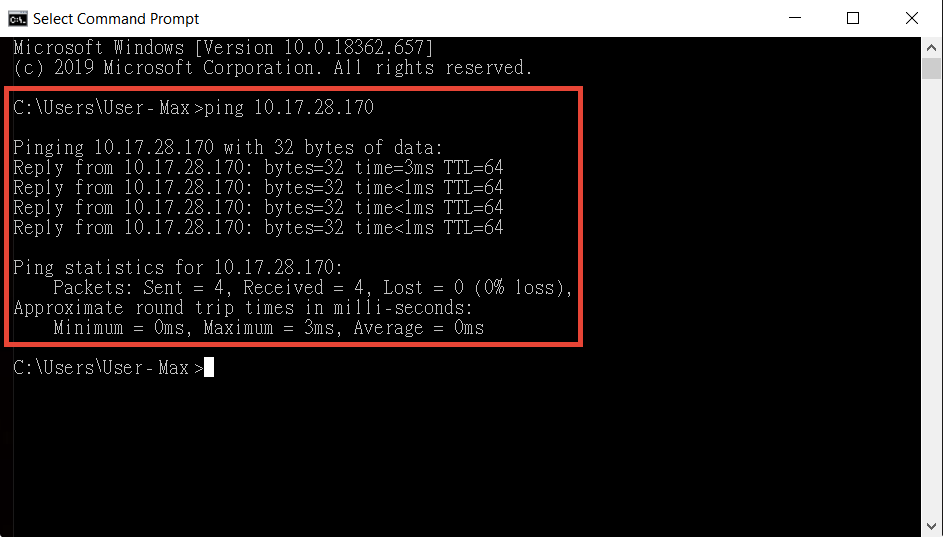
Synology’s camera-connectivity example shows successful ping replies. A ping result alone does not verify the camera video stream. - Test the camera's manufacturer-defined RTSP stream privately in a suitable player. A green Test Connection result checks camera information and HTTP connectivity; it does not prove that RTSP video can flow.
- Check the permitted path from the NAS to the camera's actual streaming port. Across VLANs, review the necessary routing and firewall rule rather than turning the whole firewall off.
- If streaming is reachable but unstable, compare a wired connection and a lower-bandwidth stream. Confirm camera and Surveillance Station versions against the supported combination before planning an update.
Check the result
The camera remains connected through a meaningful observation period and a newly recorded clip plays without a gap at the previous failure trigger.
Need help?
Submit Ticket with model/firmware, relevant connection-loss times and the results of camera-interface and RTSP tests. Redact passwords and private stream URLs.
Updated 230322