
Frequently Asked Question
Why does Synology Photos stop backing up when my phone screen locks?
Phone operating systems can pause backup work when an app is in the background. Check the real backup status and use Focused Backup for a large first upload.
Applies to: Synology Photos on supported iOS or Android versions with the Photos package installed on the NAS. Menu wording varies with the mobile app and phone.
Before you start: Seeing a photo in the mobile app does not prove it has reached the NAS. Keep the phone originals until you confirm the NAS copy. Do not use Free Up Space to troubleshoot an unfinished upload.
Check and resolve
- Open the app's backup status from More or the backup indicator. Confirm Photo Backup is enabled for the intended account and destination. Read any item-specific error instead of repeatedly restarting the whole job.
- Check that the phone has granted access to the photos you intend to back up. Confirm the selected Personal Space or Shared Space destination is available to your account.
- On iOS, allow Photos Mobile notifications and Background App Refresh. On Android, allow background data and review battery optimisation or background-activity restrictions for Synology Photos. Phone manufacturers use different names for these controls.
- For a large queue, connect the phone to power and suitable Wi-Fi, then enable Focused Backup from the backup-status page. Keep the app open; its dimmed screen is part of the mode, so do not manually lock the phone or switch away.
- If one item repeatedly fails, inspect its error separately. Note whether the problem follows the same file, occurs only on mobile data, or disappears while the app stays open.
- Check a newly backed-up test photo through the NAS web portal or another authorised client before resuming normal phone use.
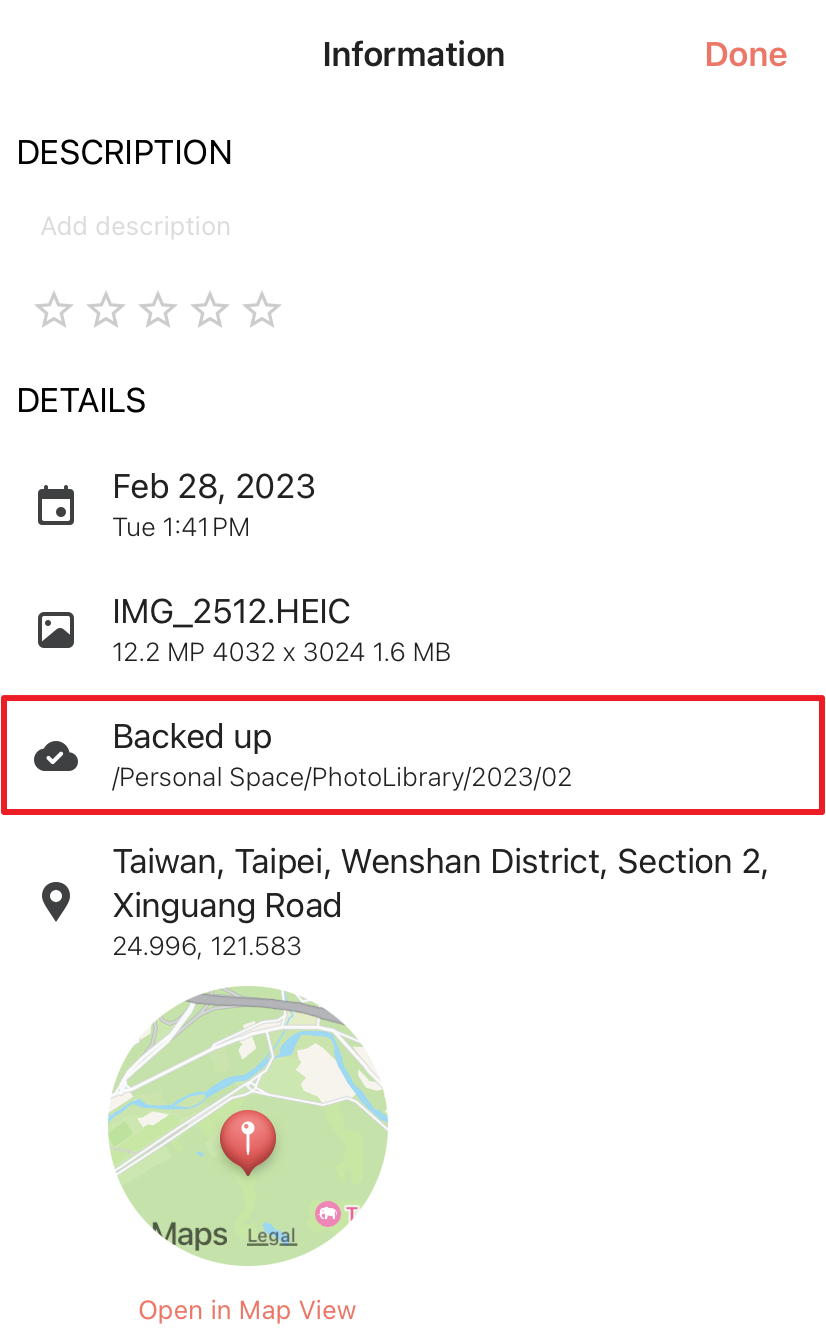
Synology Photos’ official Information-screen example marks an individual item as Backed up and shows its NAS destination.
Check the result
The pending count reduces, the selected test item reports a completed backup, and its NAS copy opens independently of the phone.
Need help?
Submit Ticket with phone/OS/app/package versions, destination type and the exact backup error. State whether normal foreground and Focused Backup behave differently.
Updated 261012