
Frequently Asked Question
Why does my Foscam B4 live view stop after about five minutes, and can it record 24/7?
QUICK ANSWER
The battery-powered B4 is designed for motion events and short live-view sessions, not continuous 24/7 streaming. Foscam documents a five-minute live-view timeout for this model; this behaviour alone does not indicate a failed Wi-Fi connection.
Applies to: Foscam B4 battery/solar camera; not the similarly named B4 camera quantity in some wired NVR kits.
Work through these checks
- Confirm the model label is the standalone B4 battery camera. Distinguish a regular session timeout from an immediate connection error, low battery or missing event recordings.
- Start a short live session and check whether it works normally until the documented timeout. Then reopen it. Do not repeatedly reset the camera to remove a designed session limit.
- Check event recording and battery charge separately. A solar panel supports charging under suitable conditions but does not convert the camera into a continuous-streaming or continuously recording model.
- If you require always-on viewing or NAS/NVR recording, select equipment explicitly supporting that workflow. The B4 does not provide RTSP/ONVIF integration for a third-party recorder.
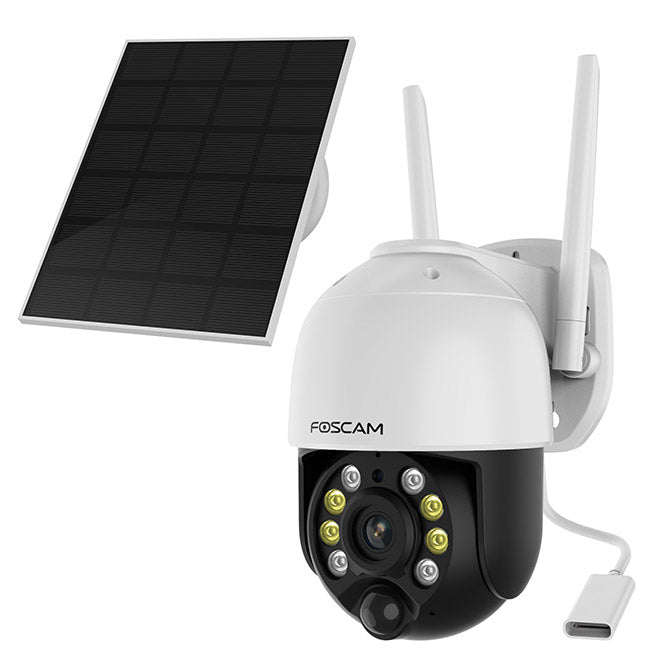
ACE catalogue photo: Foscam B4. Solar charging does not turn this event-recording battery camera into a continuous recorder. Tap the image to enlarge.
Confirm the result
Short live view and a controlled motion event work normally, with the expected clip available in the chosen supported recording location.
Before going further: Do not assume plugging in a charger adds RTSP or removes the timeout. Use the specified charging equipment and avoid opening the sealed battery housing.
If you need help
Include these details in your ticket: Exact camera model, app/VMS version, battery level and whether the failure occurs immediately or near five minutes.
Updated 261107