
Frequently Asked Question
Why does my Omada gateway fail adoption after I change its LAN subnet?
QUICK ANSWER
Adoption can fail when the controller and gateway lose contact during the subnet change. Plan the target LAN settings and the controller's reachable address before retrying.
Applies to: Supported Omada gateways such as ER707-M2 and ER8411 with compatible hardware or software controllers.
Work through these checks
- Record the gateway's current LAN address, the intended subnet, the controller address and the exact adoption error. Back up the current configuration before changing a working network.
- Check controller/gateway firmware compatibility and whether the device is already managed elsewhere. Use the correct existing device credentials when requested; do not repeatedly guess passwords.
- Ensure the controller has a valid address and route on the intended management network. If its old static IP no longer fits the new subnet, adoption may stop as soon as the gateway applies the new configuration.
- Follow the controller's gateway-adoption workflow with matching LAN settings. Perform changes from a local management connection and make one controlled retry after correcting reachability.
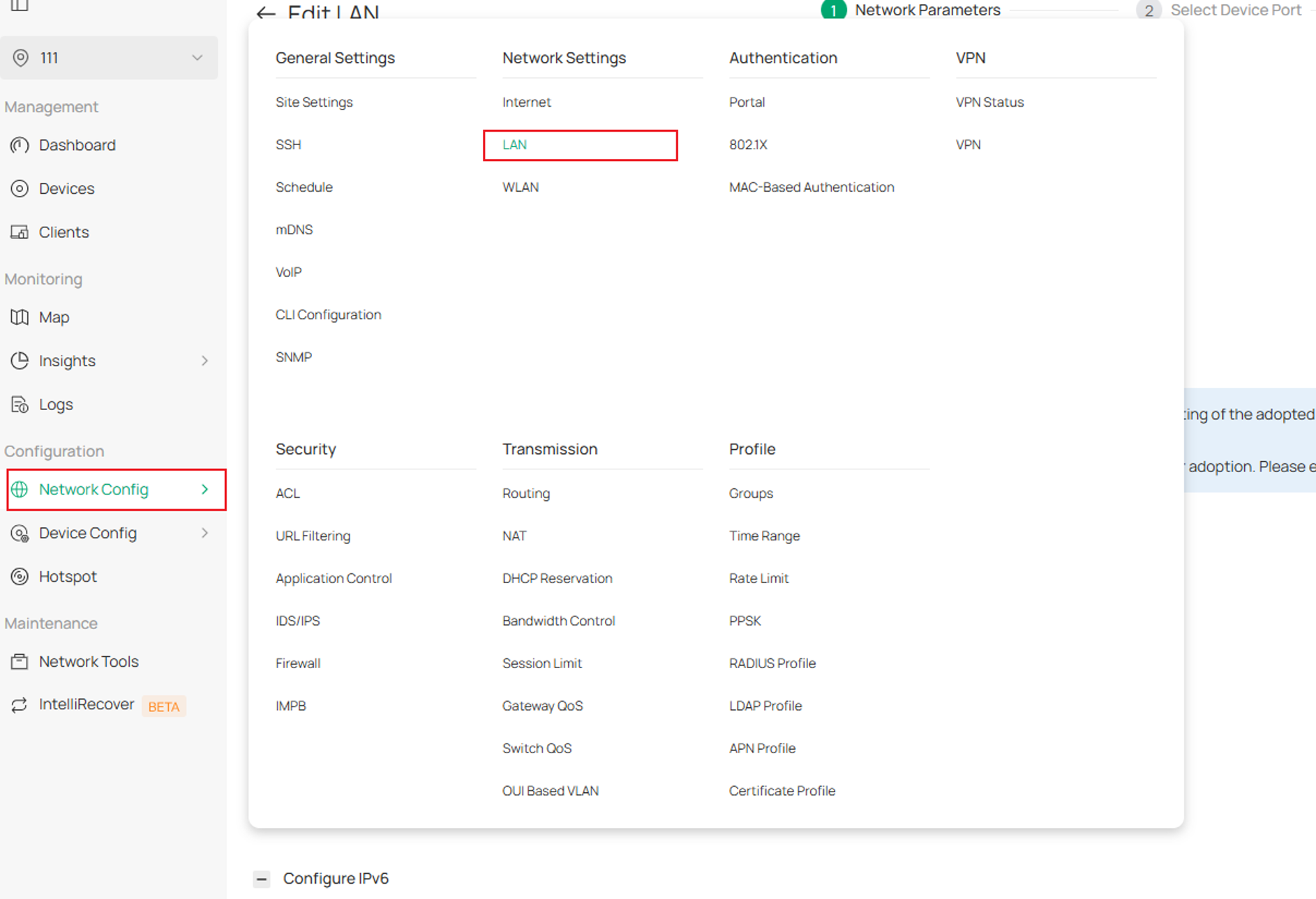
TP-Link controller example: review LAN settings before gateway adoption. Tap the image to enlarge. Interface examples may differ from your version.
Confirm the result
The gateway should remain Connected in the controller after provisioning, and management access plus one client internet connection should still work.
Before going further: Do not factory-reset a production gateway until its WAN details, VLANs, VPNs and recovery plan are recorded.
If you need help
Include these details in your ticket: Gateway/controller models and versions, current/target subnets, controller addressing method and the adoption message. Hide WAN credentials and VPN secrets.
Updated 261107