
Frequently Asked Question
Why will my two Jabra Speak 750 speakerphones not link, or reconnect after power-off?
QUICK ANSWER
Use the Speak 750 Link feature on two compatible Speak 750 units. Their link is separate from the phone/computer connection and may need to be established again after power-off or pairing mode.
Applies to: Two Jabra Speak 750 speakerphones. Instructions for Speak2 or another Speak generation may differ.
Work through these checks
- Confirm both units are Speak 750 models, powered and sufficiently charged. Position them approximately 0.5–4 metres apart as specified for the dual-unit setup.
- Check for the Link indication and press the Link control on both units to establish the supported speakerphone-to-speakerphone connection. Do not confuse this with Bluetooth pairing on the computer.
- If either speakerphone was switched off or entered pairing mode, manually establish the link again. The documented Speak 750 behaviour does not guarantee automatic restoration of that two-unit link.
- Check the host's selected audio device and existing Bluetooth connections. Speak 750 supports two active Bluetooth connections; simplify the test setup before adding other paired devices.
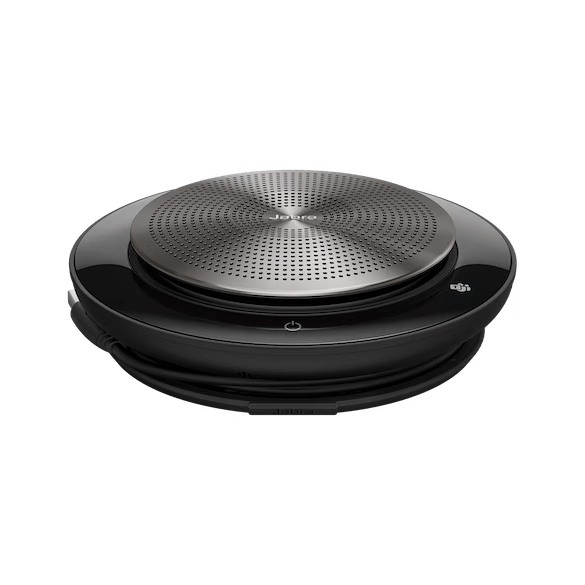
ACE catalogue photo: Speak 750. Two-unit linking instructions are model-specific. Tap the image to enlarge.
Confirm the result
Run a short meeting test from the actual host device. Confirm both units participate and that the far-end caller hears voices from the intended seating positions.
Before going further: Do not place two independently active meeting audio paths in the same room to imitate the Link feature; that can produce echo or feedback.
If you need help
Include these details in your ticket: Both exact models, firmware, distance/placement, host connection method and whether the failure occurs only after power-off or pairing mode.
Updated 261107